Credit Card Authorization Failed: What It Means, Why It Happens, and What to Do Right Now
%20for%20Any%20Payment%20Setup_1_920x620px%20(1).avif)

Snapshot

- Authorization failed means your bank declined the transaction. No money has been taken
- There are two types of failures: soft declines (temporary, retryable) and hard declines (permanent, do not retry the same card)
- The most common causes are insufficient funds, an expired card, wrong card details, a fraud flag, or a technical glitch on the processor side
- Retrying a hard-declined card makes things worse, triggering fraud flags and account holds
- Most failures resolve with one phone call to your card issuer
You went to pay. The terminal flashed an error. You wonder: did money come out, what just happened, and what do you do next? This guide answers every version of those questions, in order. First the reassurance (no money has moved), then the diagnosis (soft decline or hard decline), then a complete list of causes, a decline-code table, and the right action for every scenario, from a store counter to a hotel check-in to a recurring subscription to a corporate card. By the end you'll know exactly what your error means and what to do in the next 60 seconds.
First Things First: Was Your Card Charged?
No. When a credit card authorization fails, no money moves and no charge posts to your account. Authorization is a verification step in which your issuing bank checks whether the card and the transaction are valid before any funds are committed. Money only moves at the next stage, called capture or settlement, which happens after the authorization succeeds.
If you see a "pending" amount on your account after the failure, that's a temporary hold, not a charge. Holds release automatically, typically inside a few minutes to a few days depending on your card network and the merchant type. Your account is not compromised because an authorization failed. Take a breath and read the next section.
What Does Credit Card Authorization Failed Actually Mean?
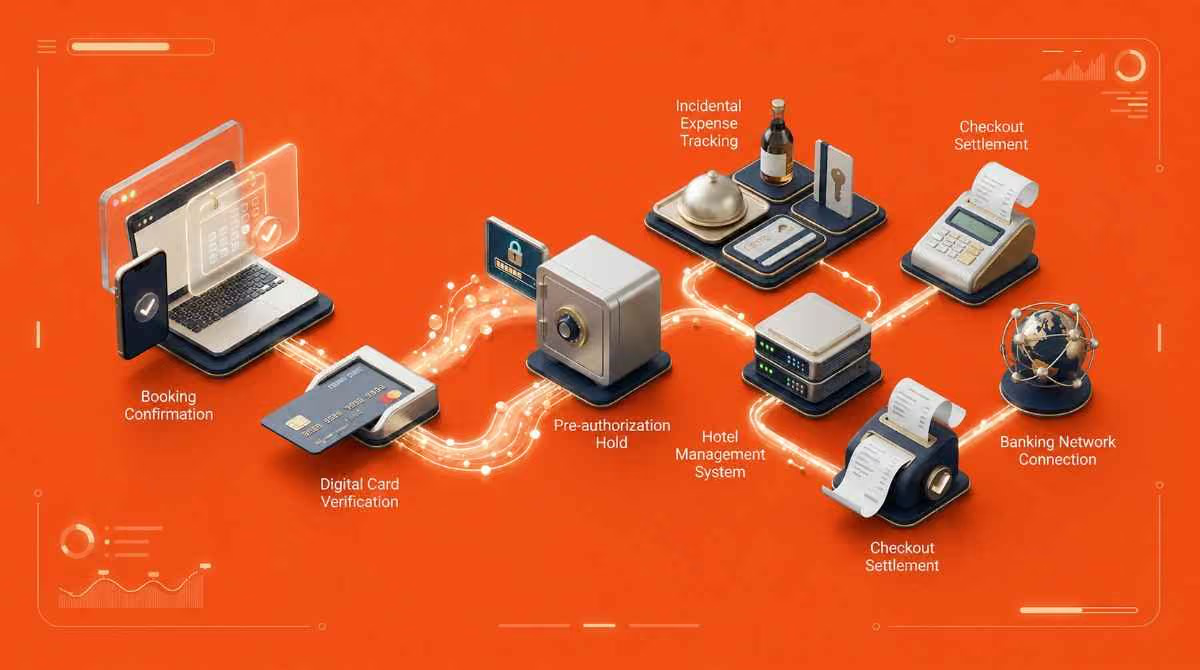
Credit card authorization is the conversation that happens in the two to three seconds between the swipe (or click) and the approval message on the screen. Four parties are involved: you, the merchant, the merchant's acquiring bank, and your issuing bank. The merchant's point-of-sale system or payment gateway sends a request to the acquiring bank, the acquiring bank routes it through the card network (Visa, Mastercard, Amex, Discover) to your issuing bank, and your issuing bank decides yes or no.
"Failed" can mean three different things depending on where the breakdown happened.
- Issuer decline is when your bank says no (insufficient funds, expired card, fraud suspicion, security block).
- Gateway error is when the payment processor or network had a technical problem and never reached your bank.
- Processor error is when the acquiring bank or merchant's system couldn't process the response.
The error message you see at the terminal will vary. "Not authorized," "authorization failed," "card declined," "transaction could not be completed," and "pre-authorization has failed, please verify your card information" are all describing the same thing from slightly different angles. The next section is the most important: which type of decline are you looking at?
Soft Decline vs. Hard Decline: This Determines What You Do Next
- Soft declines are temporary: Your bank or the network had a momentary issue (system busy, daily limit hit, suspicious-looking pattern that needs a second look), but the bank hasn't made a firm decision against the transaction. Soft declines are retryable, usually after a short wait or after fixing the underlying issue (top up the account, raise the daily limit by calling the bank, wait for the system to come back online).
- Hard declines are permanent: Your bank has reviewed the request and said no, and no amount of retrying the same card will change the answer. The card may be expired, reported lost or stolen, or flagged for a security violation. Retrying a hard decline doesn't just waste time, it actively makes things worse: each attempt can add fraud flags, trigger velocity rules, and temporarily lock the card.
How can you tell which one you're looking at? Two clues.
- The wording of the error message is the first: words like "try again," "temporary," or "service unavailable" point to a soft decline. Words like "do not honor," "invalid card," "card expired," "report lost," or "security violation" point to a hard decline.
- The decline code is the second and more reliable indicator. We cover the codes in detail in the table further below.
If you are not sure which type you have, call the number on the back of your card before retrying. One phone call resolves most authorization failures, and it costs you less than a locked account.
Every Reason Your Credit Card Authorization Failed
Authorization failures fall into ten common categories. Some are user-side (you can fix them yourself), some require a phone call to your bank, and a few are technical issues that resolve on their own.
1. Insufficient Funds or Credit Limit Reached
This is the single most common cause, responsible for a large share of all declines according to payment industry data. Two sub-cases hide inside this category. One is the obvious case where your balance or available credit can't cover the transaction. The other is when an active pre-authorization hold (a gas station hold, a hotel incidental hold, a rental car hold) has reduced your available credit even though your statement balance hasn't changed.
- Fix: Check both your statement balance and your available balance. If a hold is reducing your available credit, the hold will release within a few business days. If you need the transaction to go through immediately, use another card or pay down the balance.
2. Expired Card
The card's expiration date has passed, or the date was entered incorrectly. This is the second most common cause in card-not-present transactions, especially in subscription services, hotel CC authorization forms, and saved card profiles in booking platforms.
- Fix: Check the expiration date on the physical card and re-enter. If the card has actually expired, contact your issuer for the replacement (most issuers send replacement cards 30 days before expiration; check your mailbox or your online account for a new one). Update the new card details in every platform where the card is on file.
3. Incorrect Card Details
A wrong digit in the card number, a transposed CVV, or a billing zip code that doesn't match what your bank has on file. The Address Verification Service (AVS) is what makes the zip code matter for card-not-present transactions: when the address on file doesn't match what the merchant sent, AVS flags the transaction, and many processors decline it on that signal alone.
This cause is much more common online and over the phone than in person, because in-person transactions skip AVS entirely.
- Fix: Double-check every field. Card number, expiration month and year, CVV (3 digits on Visa/Mastercard/Discover, 4 on Amex), and the billing address as it appears on your card statement.
4. Fraud Flag or Security Block
Your bank's fraud detection system spotted something unusual: a transaction far from your usual geography, an amount well above your average, a merchant category you've never used, or a transaction velocity (too many transactions in too short a window) that looks suspicious. Modern fraud systems flag false positives constantly. A flag does not mean your card is compromised.
- Fix: Call the number on the back of your card. Most issuers can clear the flag inside a minute and either re-authorize the original transaction or let you retry. If you're about to travel internationally, tell your issuer in advance to pre-emptively clear travel-related flags.
5. Card Reported Lost or Stolen
If you or anyone on your account reported the card as lost or stolen, every transaction on it will be hard-declined immediately. The card has been killed at the network level.
- Fix: If the report was in error, call your issuer to reinstate the card (this is often not possible; usually they issue a new card with a new number). If the report was correct, the issuer will already have a replacement on the way.
6. Account Frozen or Restricted
Less common, but possible: an unpaid balance past 30 or 60 days, an active dispute under investigation, or a bank-initiated restriction (suspected money laundering, sanctions screening, identity verification).
- Fix: Call the issuer. They'll tell you the reason and what's needed to lift the restriction.
7. Card Not Activated
New cards are not active when they arrive. They have to be activated, usually via a phone call, the mobile app, or the bank's website. An unactivated card will be hard-declined every time. This trips up many corporate card programs where cards are issued to employees in bulk and never activated before first use.
- Fix: Activate via your bank's app or the activation hotline listed on the card sticker.
8. Merchant Category Restriction
Corporate cards are often set up with merchant category controls. A card programmed for travel-only may be declined at a hardware store. A card programmed for software-and-marketing spend may be declined at a restaurant. These declines are intentional and not a card problem; they're a policy problem.
- Fix: Check the card's policy controls with your finance team. Either use a personal card and submit for reimbursement, or ask finance to add the merchant category to the card's allowed list.
9. Technical Error or System Glitch
Sometimes nothing is wrong with your card. The payment gateway timed out, the issuing bank's authorization system was briefly down, or a network hop dropped the request. These are soft declines and usually clear on retry within a few minutes.
- Fix: Wait two to three minutes, then retry once. If the same error persists across three retries spaced minutes apart, the issue isn't transient; treat it as a hard decline and call the issuer.
10. International Transaction Block
Some cards block foreign transactions by default for security. If you're traveling abroad or buying from a foreign merchant, the international block can trigger a hard decline even though there's nothing else wrong with the card.
- Fix: Call your issuer before traveling. Ask them to allow transactions in the specific countries you'll be in, and add a travel note to your account. Most banks let you do this through their mobile app in under a minute.
What Your Decline Code Means
When an authorization fails, the issuer returns a numeric decline code. The code tells you exactly which rule the transaction violated. Codes are standardized across the major card networks, though merchants and processors don't always display them. If you can get the code from the cashier, the receipt, or your online statement, you have the diagnosis in two digits.
The table below covers the codes you're most likely to see, what each means in plain English, whether it's a soft or hard decline, and what to do next.
| Code | Meaning | Type | What to do |
|---|---|---|---|
| 05 | Do Not Honor | Hard | Call your bank. This is a generic decline that requires bank intervention to interpret |
| 14 | Invalid Card Number | Hard | Check the card number for typos and re-enter |
| 51 | Insufficient Funds | Soft | Check available balance, pay down balance, or use another card |
| 54 | Expired Card | Hard | Update card details everywhere and wait for the replacement card |
| 61 | Exceeds Withdrawal Limit | Soft | Call the bank to raise your single-transaction or daily limit |
| 63 | Security Violation / CVV mismatch | Hard | Re-enter the CVV exactly as it appears on the card. If that fails, call the bank |
| 65 | Exceeds Frequency Limit | Soft | Wait an hour and retry once |
| 91 | Issuer Not Available | Soft | The issuing bank's system is temporarily down. Retry in a few minutes |
| 96 | System Error | Soft | A technical fault on the network. Retry. Not a card problem |
| 41 / 43 | Lost or Stolen Card | Hard | Do not retry. Call your bank immediately |
A note on platform-specific codes:
If you see a code like -1724, -1764, or a string like "unable to complete payment: credit card auth failed," that's not an issuer code, it's an error code generated by the merchant's platform or gateway (Salesforce Commerce, Shopify, a hotel PMS like Opera or Sabre, a corporate booking tool). Platform codes vary by vendor. The general rule: search the exact platform code online to confirm meaning, but the underlying cause will almost always map back to one of the standard categories above. "Pre-authorization has failed, please verify your card information" is also a platform-level message, and it usually maps to AVS mismatch, expired card, or a fraud flag at the issuer.
What to Do Right Now: Step by Step
The action depends on where you are and what kind of payment you're trying to make. Five common scenarios:
1. If You're at a Store or In Person
Stay calm and don't assume fraud. Ask the cashier what the decline code says (most modern POS systems display the code on the screen or the receipt). Try a different card while you sort it out, so you don't hold up the line. As soon as you can, step away and call the number on the back of the declined card. Most issuers have 24/7 fraud lines, and most blocks can be cleared in under five minutes.
2. If You're Shopping Online
Check every field before assuming the card is the problem. The single most common online cause is a billing address that doesn't match what your bank has on file. Verify the card number, expiration, CVV, and billing zip. Then check your available balance in your mobile banking app. If everything looks right, try a different browser or clear the site's cookies (gateway-side errors sometimes look like authorization failures). If it still fails with correct details and sufficient balance, call your bank.
3. If You're at a Hotel Check-In
Ask the front desk to check whether the credit card authorization form is linked to your reservation (if your company sent a CC auth form ahead of time, the property sometimes fails to attach it to the booking). Then call your card issuer to check for a fraud flag or security block on a card-not-present transaction; they can lift it in real time. If you booked through a corporate travel management platform, call their support line; they can reconfirm payment with the hotel directly.
Always have a backup payment method ready at hotel check-in. If the front desk can't resolve the failure quickly, pay personally with another card and submit for reimbursement. Get an itemized receipt at checkout.
4. If Your Subscription or Recurring Payment Failed
The most common cause for subscription failure is that the card on file expired or the details changed (new card number after a fraud replacement, updated CVV after a reissue). Most platforms send an email when a recurring payment fails. Update the payment information immediately, then check whether the service was paused or cancelled as a result of the failed payment. Some platforms have a 7-day grace period; others cut access immediately.
5. If It's a Corporate Card
Three things to check, in this order.
- Merchant category restriction: The card may be blocked from certain MCCs (merchant category codes) by your finance team's policy.
- Spend limit: Corporate cards often have per-transaction or daily spend limits below the issuer's underwriting limit.
- Card status: Confirm with your finance team that the card hasn't been deactivated (this happens when an employee leaves, when a card is reported lost, or when finance pauses a card for spend review).
What If You Have Enough Money But It's Still Failing?
Insufficient funds is the most-assumed cause, but it's not the only one when balance looks fine. Three hidden causes account for most of these cases.
- Available credit vs. total credit limit: Your total credit limit might be $10,000, but pre-authorization holds from a recent hotel stay or gas station fill-up may have reduced your available credit to $2,000. Most issuers show available credit in the mobile app under a separate line from total credit limit.
- Fraud flag triggered by your activity: A larger-than-usual purchase, a merchant category you haven't used before, or a transaction far from your normal geography can trigger a fraud flag even when your balance is plenty. False positives are common.
- New card details not yet propagated: If you received a replacement card recently, the new card number might be active, but saved card details in subscription platforms, booking sites, and digital wallets may still be pointing at the old number. Update everywhere the card is stored.
Step through these three before assuming it's a bank or technical issue. Then call your issuer if the cause still isn't clear.
Will Retrying Make Things Worse?
The answer depends on the decline type.
- Soft declines: Retrying is fine after you've corrected the underlying issue (added funds, raised the limit, waited for the system to come back). One retry is usually all you need.
- Hard declines: Retrying makes things worse. Repeated attempts on a hard-declined card trigger velocity flags and can temporarily lock the account. Most issuers flag accounts after 3 to 5 rapid retries inside a short window. A locked account turns a routine fix into a phone-call-and-wait situation.
The right sequence: identify the decline type, fix the underlying issue, retry once. If the second attempt fails, stop and call the bank instead of trying again.
Will a Failed Authorization Affect My Credit Score?
No. Failed authorizations do not appear on your credit report and do not affect your credit score. A hard inquiry on your credit report only happens when you apply for new credit, not when a transaction is declined. Repeated authorization failures, even many in a row, do not hurt your score.
What can affect your score is the underlying issue behind the failure if it's a financial one. A frozen account due to a missed payment will eventually show up on your report as a late payment if the missed payment crosses 30 days past due. But that's a separate consequence of unpaid debt, not a direct effect of any single authorization failure.
How Long Until the Problem Is Resolved?
Resolution time depends on the cause.
- Fraud flag cleared by phone call: Usually immediate. The agent removes the flag and you can retry the transaction inside the same call.
- Security block after suspicious activity: 24 to 72 hours if you wait it out, immediate if you call.
- Technical error or gateway issue: Typically self-resolving within minutes to a few hours.
- Expired card replacement: 5 to 7 business days for a physical replacement to arrive by mail. Many issuers offer an instant virtual card you can use immediately while waiting.
- Pre-authorization hold release:1 to 30 days depending on the merchant category and card network. Gas station and hotel holds are typically the longest because the final settlement amount differs from the initial hold.
If you need the transaction to succeed today and the resolution time looks longer than that, use a different card or payment method while the fix processes.
Credit Card Authorization Failures in Corporate Hotel Bookings
Hotels are uniquely prone to credit card authorization failures, and the failure usually happens at the worst possible moment: at check-in, with the traveler standing at the desk. Four specific causes drive most corporate hotel auth failures.
- Form not received or not attached to the booking: A finance team sends a credit card authorization form to the hotel days before the trip. The form arrives but isn't filed to the reservation. The front desk treats the booking as card-not-present and asks for a different payment method.
- Incidental hold exhausting the available limit: A pre-authorization hold for incidentals (often $50 to $200 per night) can stack across multiple nights or multiple rooms and exhaust the card's available credit, even when the room rate itself is well within limits.
- Expired card on the original form: The corporate card on the CCA form expired between the time the form was sent and the time the guest checked in. The issuer hard-declines.
- Card-not-present security flag: A high-value card-not-present transaction from a hotel in an unusual location triggers the issuer's fraud system, even though it's a legitimate corporate booking.
A travel program manager at a mid-market services firm we spoke with described the pattern: "Three nights in a row, our travelers got declined at check-in because the hotel had the CCA form but never filed it. We were calling the desk one room at a time."
The structural fix is to move off CCA forms entirely. Virtual cards close every gap above. Payment details go directly to the property through the booking system at the time of reservation, the amount is pre-approved and capped, and there's no form to lose, fax to misfile, or expiration date to expire. ITILITE reconfirms payment details with the hotel before arrival on every booking, so the traveler doesn't hit an auth failure at the front desk in the first place.
How to Stop Credit Card Authorization Failures From Happening Again
Five controls prevent most of the failures above. The first three apply to anyone with a credit card; the last two are for finance and travel teams running corporate programs.
- Turn on real-time transaction alerts: Every major issuer sends a push notification, SMS, or email when a transaction posts (or fails). Cardholders who get the alert know the failure happened in seconds rather than minutes, and the fix is faster the sooner you start it.
- Keep card details current in every platform: Whenever you receive a new card or a replacement, update the card details in every recurring payment, subscription, booking platform, and digital wallet where the old number was stored. Most card declines on subscription services trace back to this single oversight.
- Inform your bank before traveling internationally or before unusual large purchases: A 30-second call (or a tap in the mobile app's travel notice section) clears the most common cause of foreign-transaction declines.
- For corporate programs: Set appropriate card limits and review merchant category restrictions quarterly. Card limits should align to the realistic ceiling of each role's travel and spend, not the company's overall comfort zone. Merchant category restrictions should be reviewed quarterly because new vendors appear and category codes occasionally get reclassified.
- Use virtual cards for high-risk card-not-present scenarios: Hotel bookings, online subscriptions, and infrequent vendor payments are the highest-risk scenarios for authorization failures. Virtual cards with capped limits and merchant locks remove the failure modes that produce the most calls to finance.
ITILITE issues per-trip virtual cards with capped limits and merchant restrictions on corporate travel bookings, so the prevention work doesn't fall on individual cardholders or finance support.
FAQ
What does credit card authorization failed mean?
It means your bank reviewed the transaction and declined it before any money moved. Authorization is a verification step, not a payment. The decline can be a soft decline (temporary, retryable) or a hard decline (permanent, requires bank intervention). The exact reason is encoded in the decline code returned by the issuer.
Has money been taken when authorization fails?
No. No money moves when authorization fails. Any "pending" amount you see is a temporary hold that releases automatically, usually within a few minutes to a few business days depending on your card network and merchant type. Your account is not compromised.
What is the difference between a soft decline and a hard decline?
Soft declines are temporary and retryable. Causes include insufficient funds, daily limit hit, or a transient system issue. Hard declines are permanent and require bank intervention. Causes include expired card, reported lost or stolen, fraud flag, or invalid card number. Retrying a hard decline can trigger account locks.
What does card not authorized mean?
Card not authorized is another way of saying the authorization failed. The issuing bank, payment processor, or gateway rejected the request before any money moved. The wording varies by merchant ("not authorized," "card declined," "transaction could not be completed"), but all mean the same thing.
Why does my credit card keep getting declined even though I have money?
Three common reasons. A pre-authorization hold from a recent transaction has reduced your available credit even though your statement balance is fine. A fraud flag triggered by an unusual transaction is blocking new authorizations until you call. New card details have not been updated in saved payment profiles. Step through these before assuming a bank issue.
Should I retry my card after an authorization failure?
Only if it's a soft decline and you've corrected the underlying issue (added funds, called to raise the limit). Hard declines should never be retried; retries can trigger account locks. If you're unsure which type you have, call your bank before retrying.
Will a failed authorization affect my credit score?
No. Failed authorizations do not appear on your credit report and do not affect your credit score. Hard inquiries happen only when you apply for new credit, not when a transaction is declined. Even repeated failures do not hurt your score directly.
How long does it take for a declined authorization hold to release?
Holds typically release within a few minutes to a few business days. Hotel and gas station holds can take up to 30 days in some cases because the final settlement amount differs from the initial pre-authorization. Holds are not charges; they release on their own without action from you.
What does payment authorization failed mean on a hotel booking?
It means the hotel's payment system tried to authorize your card and the issuer declined it. Common causes are an expired card on the credit card authorization form, the form not being filed to your reservation, an incidental hold exhausting the available limit, or a fraud flag on a high-value card-not-present transaction.
What should I do if my credit card is declined at hotel check-in?
Ask the front desk to confirm the CC authorization form is linked to your reservation. Call your card issuer to check for a fraud flag (they can lift it in real time). If you booked through a travel management platform, call their support line to reconfirm payment with the hotel. Pay personally if needed and submit for reimbursement with an itemized receipt.
What does error code -1724 mean on a credit card authorization failure?
Platform-specific codes like -1724 or -1764 are not standard issuer codes. They're generated by the merchant's platform or gateway (commonly a hotel property management system or e-commerce platform). The underlying cause maps to one of the standard categories (expired card, AVS mismatch, fraud flag, insufficient funds). Search the exact code in the platform's documentation, or call your bank.
Who do I call when my credit card authorization fails?
Call the number on the back of the declined card. Every major issuer has 24/7 fraud and authorization support. Most authorization failures resolve in one phone call inside five minutes. If the card was issued by your employer, call your finance team first; they may be able to resolve corporate-card issues (spend limit, MCC restriction) without contacting the issuer.

Ardra is a Content Strategy Manager at ITILITE with 6+ years of experience in travel and SaaS content. She holds a Master’s degree in Political Science from Lady Shri Ram College for Women and transitioned from academic research and travel content into SaaS content strategy.
She previously worked with JustWravel, where she focused on travel storytelling and digital content. Today, she specializes in SEO and AEO-driven content strategies that help businesses simplify complex travel and expense workflows into search-optimized narratives.
When she’s not working, Ardra is usually reading or watching films.



Prevent Declined Corporate Card Transactions Before They Happen
A fully integrated corporate travel management software that dramatically reduces spends while improving user experience
.avif)