


How To Modify A Flight Booking?

Travel is all about staying flexible, and we're here to make sure your flight itinerary can keep pace. Updating your booking on ITILITE is designed to be quick and intuitive. This guide will walk you through the simple steps to modify your travel plans without the stress.
Step-by-Step Guide
Follow these steps to modify your flight booking:
- From your ITILITE Dashboard, navigate to Trips.

- Locate the flight booking you wish to modify in your list of upcoming trips. Click on Manage.
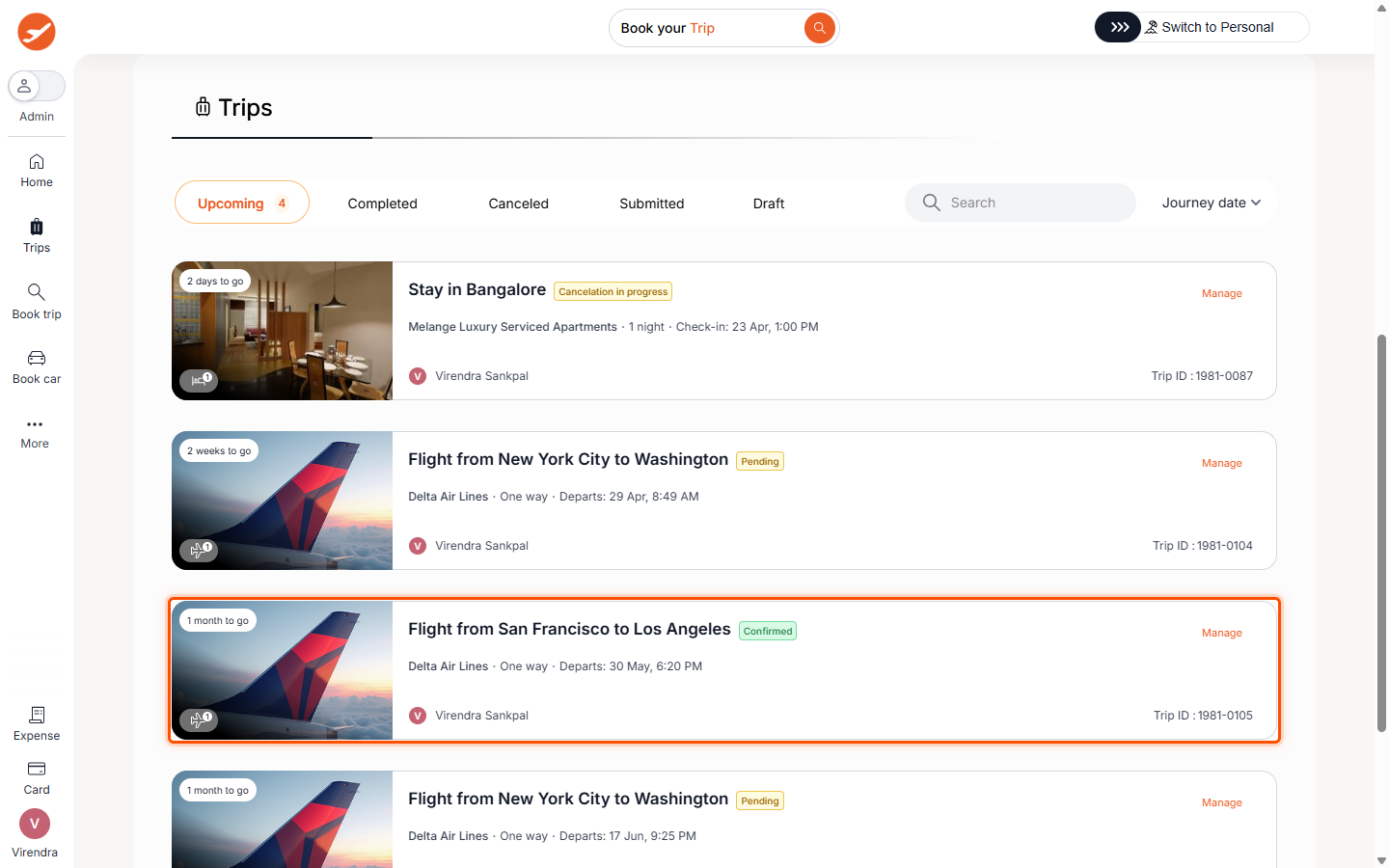
- On the modification screen, click the Modify button next to the specific flight segment you want to change.
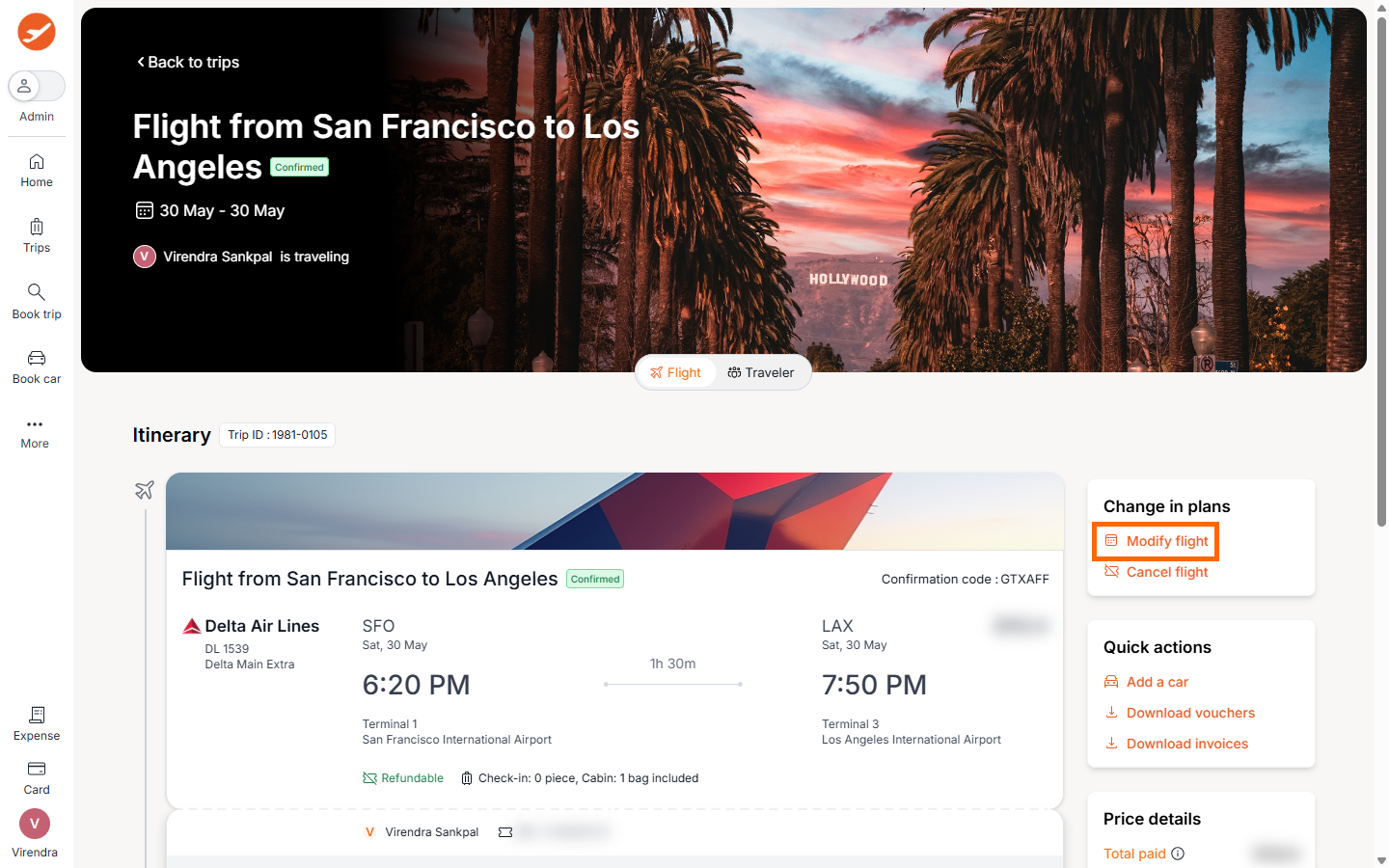
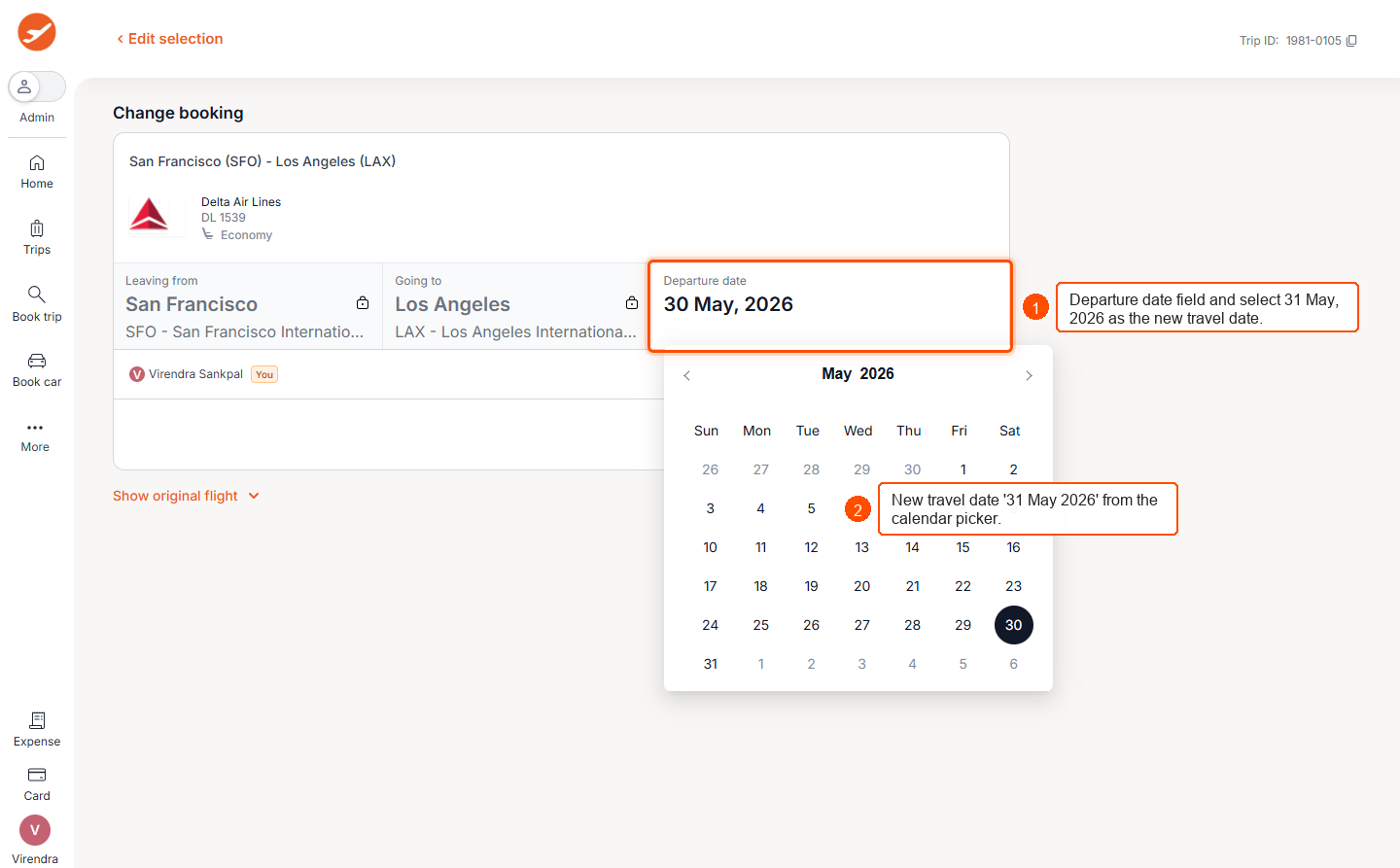
- Review the search results and click View fares for your preferred flight option. Select your desired fare for the new flight and click Continue to proceed to the final confirmation.
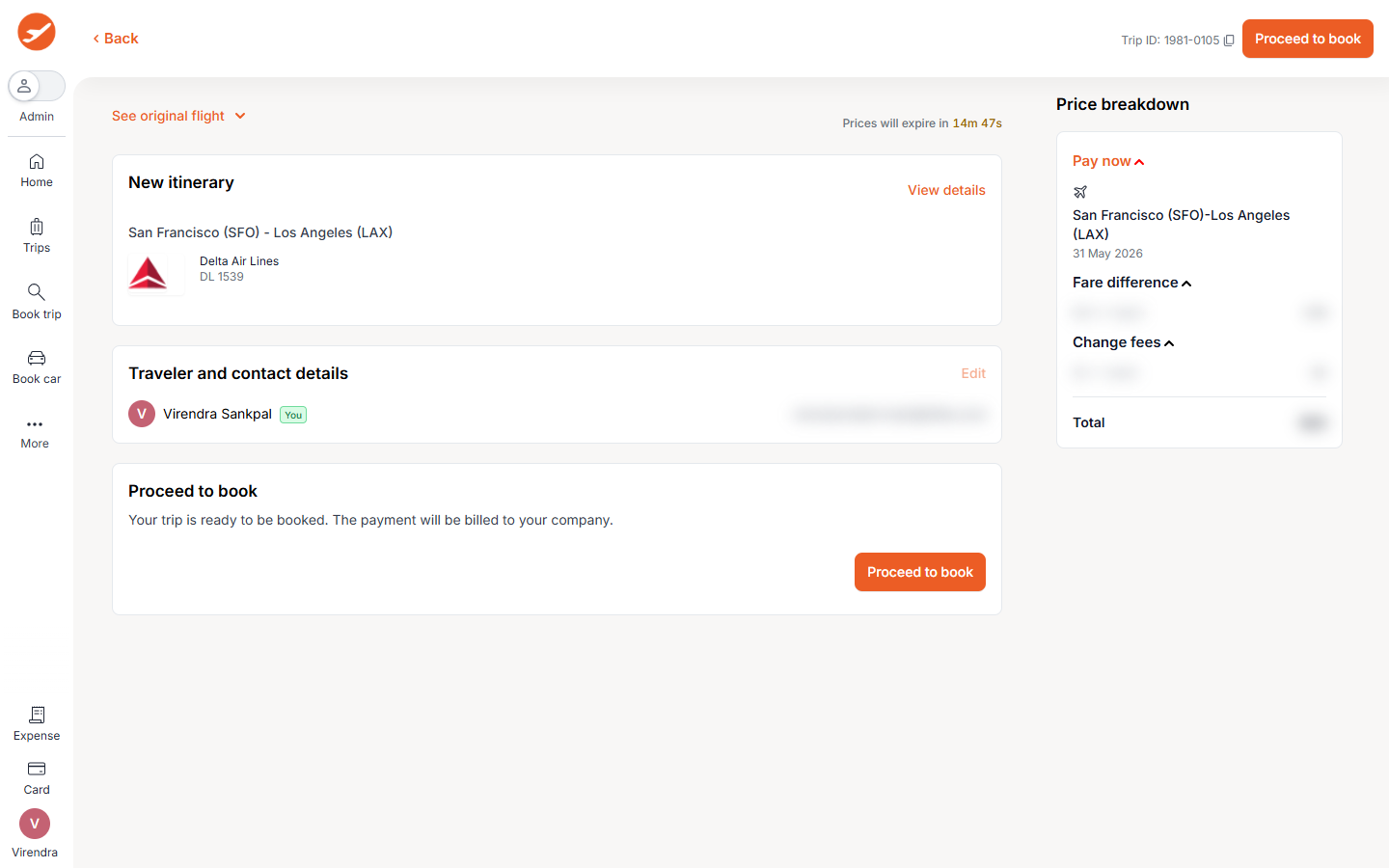
- Review all details on the confirmation screen, including any charges, and complete your modification by clicking on Proceed to book.
Pro-Tips & Guardrails
PRO-TIP: The total reschedule charge displayed will include any Fare Difference (based on the base fare and taxes, excluding ancillaries) and applicable Change Fees.
NOTE: You can request a reschedule for a given flight only once via the ITILITE platform; for any subsequent changes, please contact ITILITE Support.
Verification & FAQs
After submitting your modification request, you will receive an updated confirmation or voucher once the changes are processed. You can also check your My Flight Bookings section for updated booking details.
Q: How are modification charges calculated?
A: The total reschedule charge is the sum of the Fare Difference (base fare + taxes, excluding ancillaries) and any applicable Change Fee.
Q: Can I modify my flight booking multiple times?
A: You can request a reschedule for a given flight only once via the ITILITE platform. Any subsequent changes will need to be handled by contacting ITILITE Support.
Q: What happens if I only want to change the flight for some travelers on a booking?
A: If only some passengers are being rescheduled while others remain unchanged on the same booking reference, the system may need to split the booking reference first. If this split cannot be done successfully, the reschedule will be blocked to prevent errors.
Ready to take your Travel Management to next level
A fully integrated corporate travel management software that dramatically reduces spends while improving user experience