How To Modify A Hotel Booking?

We know that schedules can be unpredictable, and sometimes you need to tweak your stay to fit a new itinerary. Whether you’re extending your trip or shifting your dates, the ITILITE platform makes these adjustments smooth and straightforward.
Step-by-Step Guide
Follow these steps to modify your hotel booking:
- Log in to your ITILITE account and navigate to Trips.
- Locate the trip you wish to modify from your list of bookings and click on it to view the trip details.
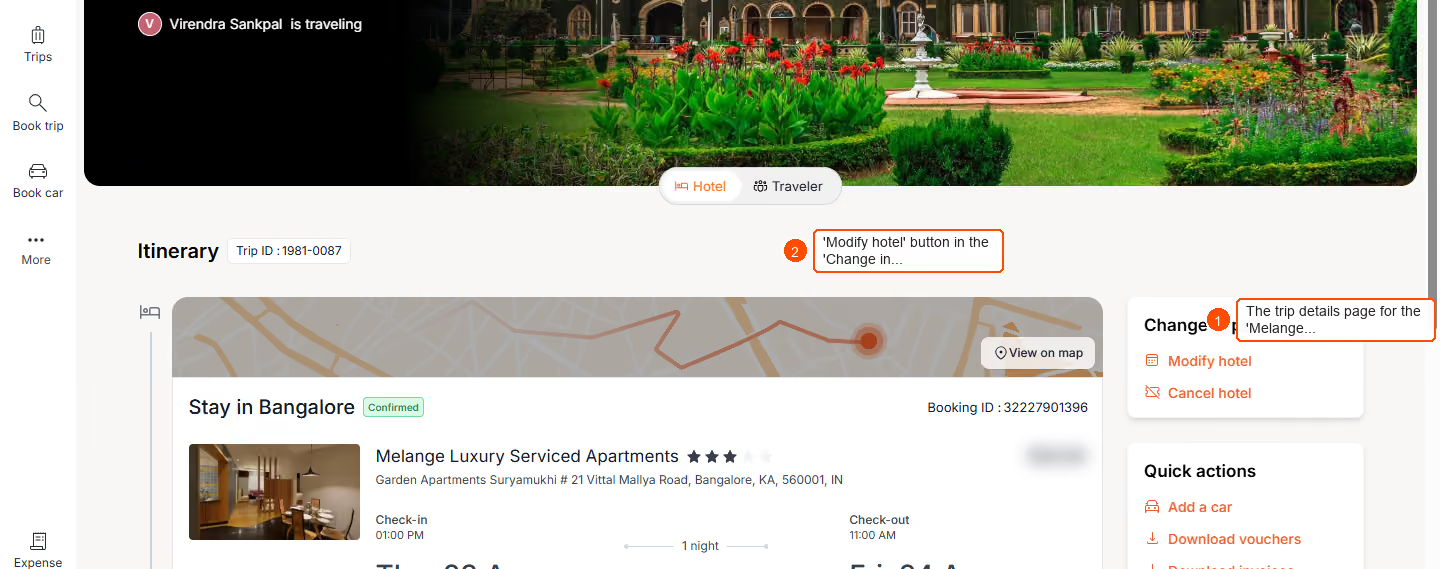
- Within the trip details, find the hotel booking section and click the Modify hotel button.
- In the page that appears, click on the date input field to open the calendar picker.
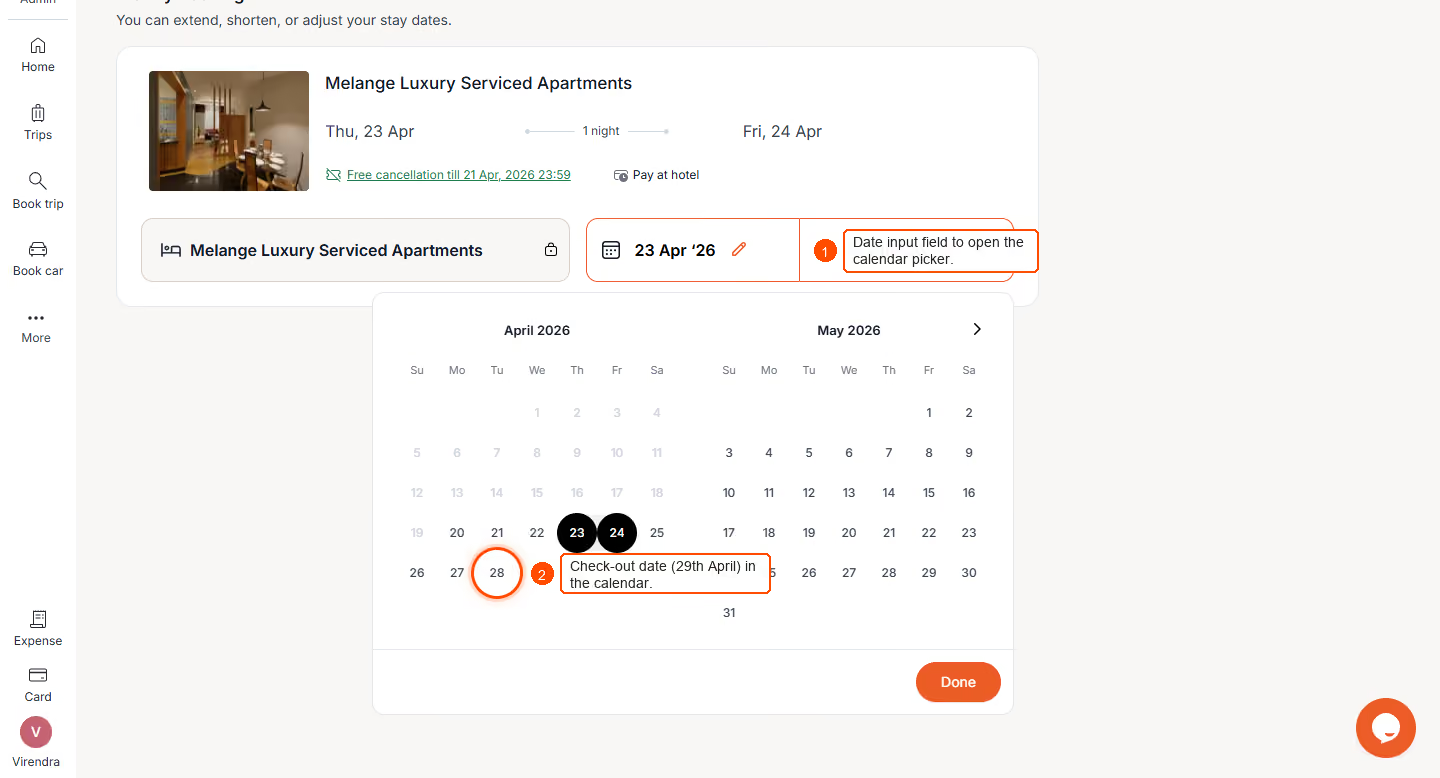
- Select your new check-in and check-out dates. Click the Done button to confirm your selected dates.
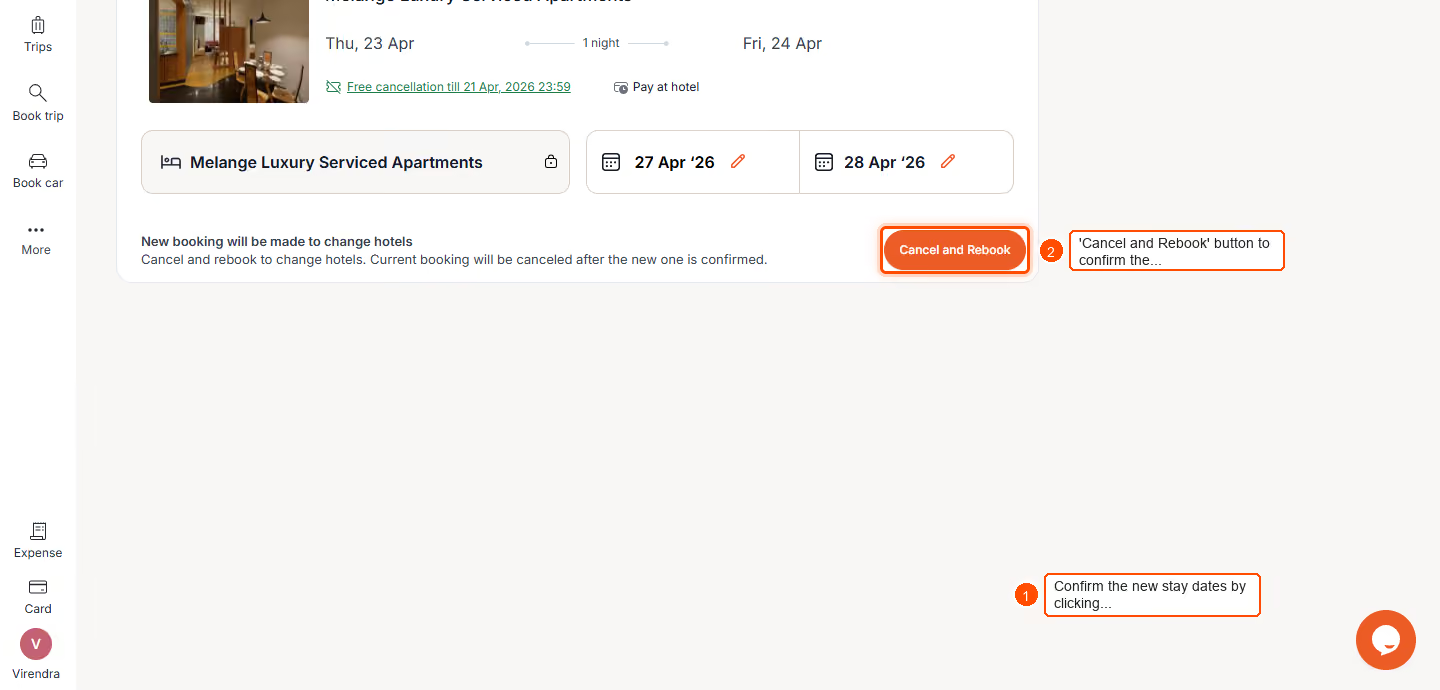
- Review the updated booking details and click the Cancel and Rebook button to finalize your modification. Select the new room, and confirm your hotel booking.
Pro-Tips & Guardrails
NOTE: Hotel modifications are only available for upcoming and ongoing trips where the booking is completed. You cannot modify Draft, Pending, Failed, or Cancelled hotel bookings.
PRO-TIP: If you need to change to a different hotel or a different city, you must cancel your current hotel booking and create a new trip. The self-serve modification flow keeps the original hotel and location fixed.
NOTE: For last-minute changes (when the free cancellation window has passed) or if your check-in date has already passed, please contact ITILITE Support for assistance.
PRO-TIP: If your modification results in a price change, any additional payment will use the same method as your original booking. If a refund is due, the refund amount will be clearly displayed.
Verification & FAQs
After a successful modification, you will receive an updated booking email with a new voucher and combined itinerary. Your dashboard will also display the updated booking with a "Modified" tag.
Q: Who can modify a hotel booking?
A: Only the person who originally created the trip and hotel booking can modify it.
Q: What changes can I make to my hotel booking?
A: You can modify the check-in and check-out dates for your existing hotel.
Q: Can I change to a different hotel or city during modification?
A: No, the self-serve modification flow keeps the original hotel and location. To change hotels or cities, you need to cancel your current booking and create a new trip.
Q: What if I need to change my room type for the same dates?
A: For changes to room type while keeping the same dates, please contact ITILITE Support for assistance.
Q: What happens if the price changes after modification?
A: If the modification requires additional payment, the original payment method will be used. If a refund is due, the amount will be shown to you.
Ready to take your Travel Management to next level
A fully integrated corporate travel management software that dramatically reduces spends while improving user experience