How To Cancel A Hotel Booking?

This guide will walk you through the process of canceling an existing hotel booking within the ITILITE platform.
Step-by-Step Guide
Follow these steps to cancel your hotel booking:
- Step 1: Navigate to Bookings
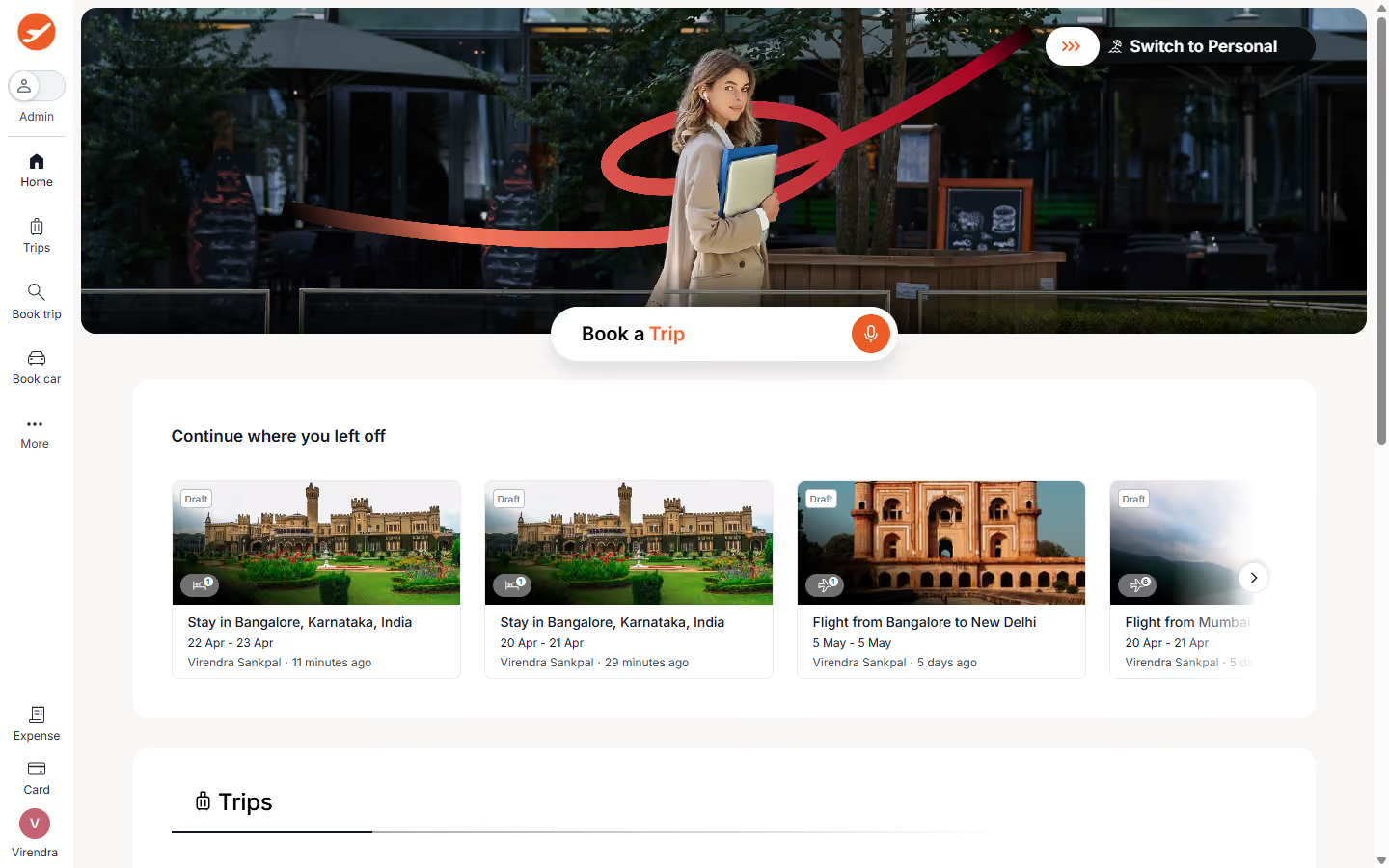
From your ITILITE dashboard, click on Trips in the sidebar to view your existing trips and bookings.
- Step 2: Locate Your Hotel Booking
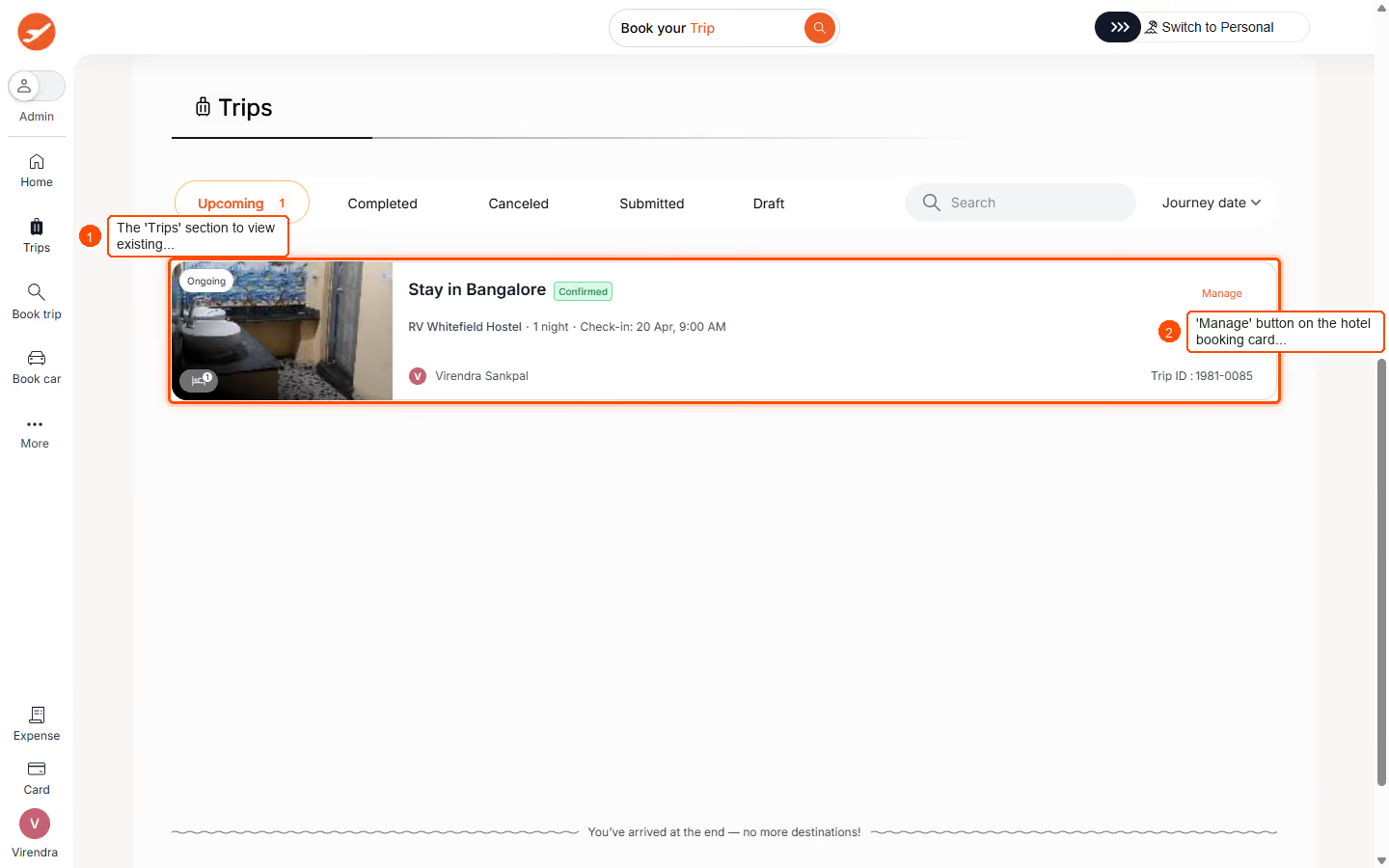
Find the specific hotel booking you wish to cancel from the list. Click the Manage button associated with that booking to view its details.
- Step 3: Initiate Cancellation
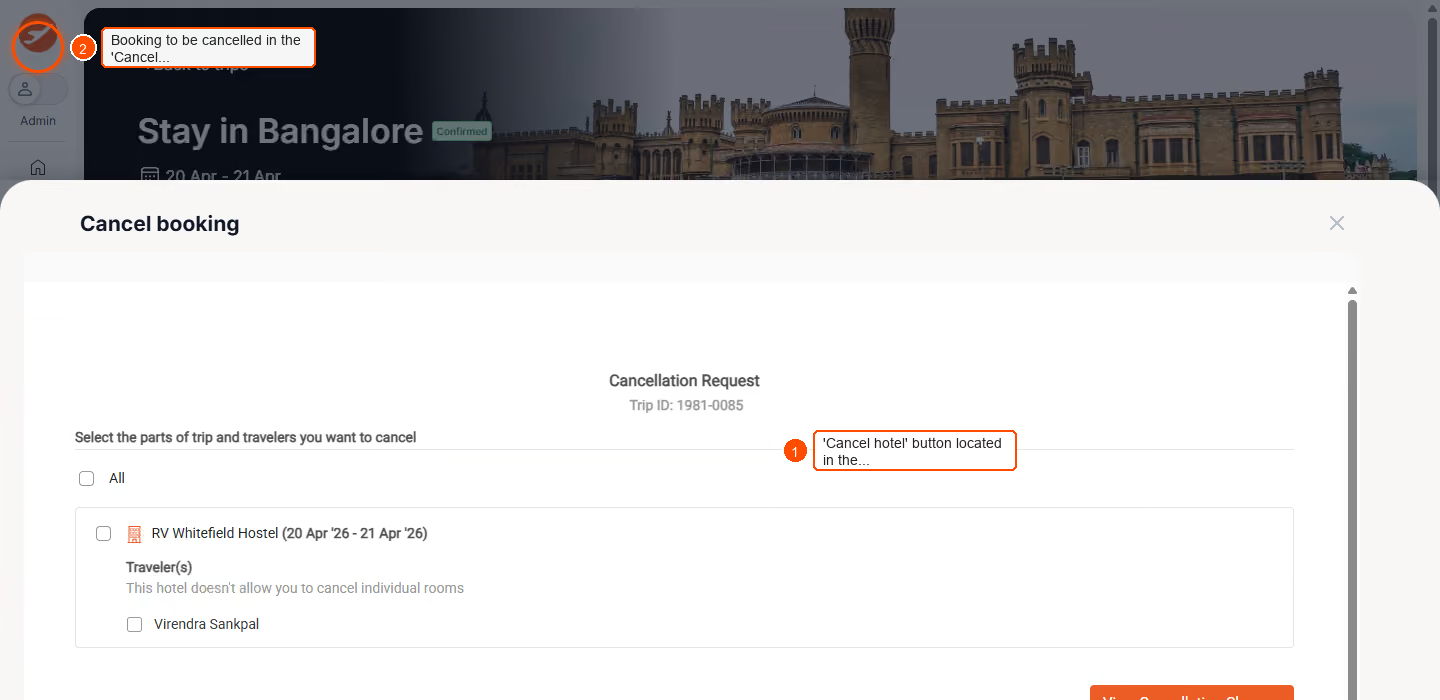
On the booking details page, locate the Change in plans section and click the Cancel hotel button. - Step 4: Review Cancellation Details
A Cancel booking modal will appear. Select the specific hotel booking or rooms you intend to cancel. Carefully review the cancellation policies, any applicable fees, and the estimated net refund amount.
- Step 5: Confirm Cancellation
After reviewing the details, click Yes to confirm and proceed with your cancellation. - Step 6: Cancellation Confirmation
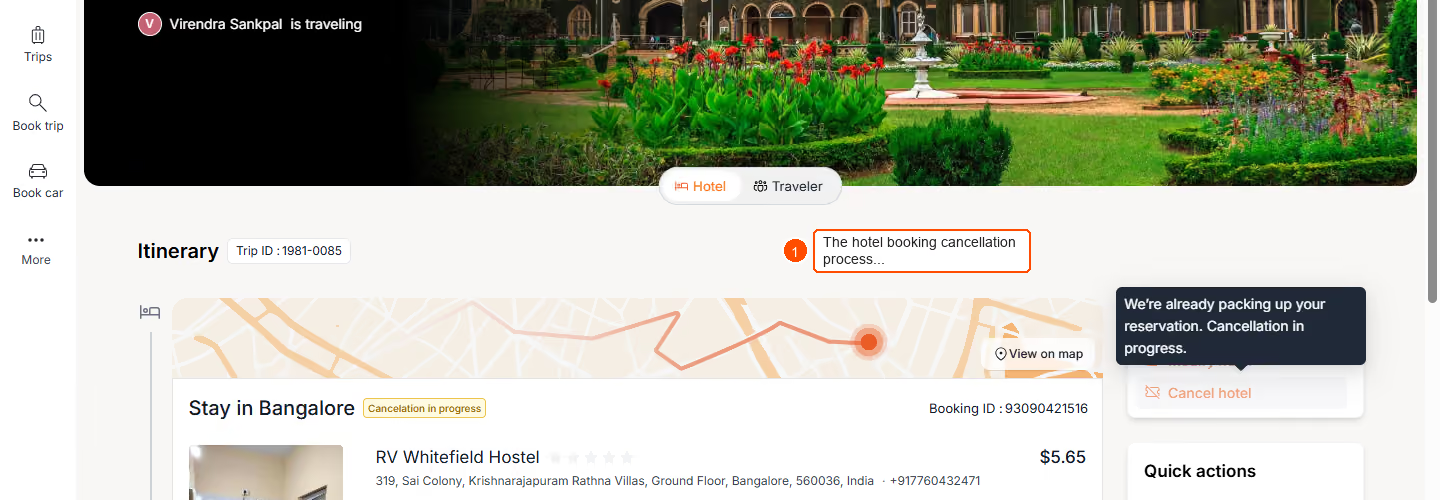
Upon successful cancellation, you will see a confirmation message on your screen. The booking status will also update to reflect the cancellation.
Pro-Tips & Guardrails
NOTE: Before confirming, ITILITE provides full transparency, displaying the original paid amount, any cancellation penalties, and the exact net refund amount. This includes a clear breakdown of cancellation fees, refundable amounts, and non-refundable amounts.
NOTE: Some hotel providers do not allow room-level cancellations. You can cancel multiple hotel legs at once if applicable.
PRO-TIP: After a successful cancellation, you will receive a confirmation email with comprehensive details about the refund process and any relevant timelines.
Verification & FAQs
After successfully canceling your hotel booking, you will see a confirmation message on your screen, and the booking status on your Bookings page will update to 'Cancelled'.
Q: What information will I see before confirming a cancellation?
A: You will see the original paid amount, any cancellation penalties, and the net refund amount. ITILITE also displays applicable cancellation policies, fees, and refundable/non-refundable amounts for full transparency.
Q: Can I cancel only a part of my hotel booking, like a single room?
A: Yes, room-level cancellations are supported by some hotels but not all. You can also cancel multiple hotel legs in a single flow if your booking allows.
Q: What happens if my self-serve cancellation fails?
A: If self-serve cancellation is not possible or fails, the booking status will show 'Cancellation in progress', and ITILITE Support will reach out to assist you with the request.
Q: Who can cancel a hotel booking?
A: Only the traveler who made the booking, the booker, or authorized administrators can initiate a hotel booking cancellation.
Q: Will I receive a confirmation after cancellation?
A: Yes, after a successful cancellation, you will see an on-screen confirmation and receive an email with details about the refund process.
Ready to take your Travel Management to next level
A fully integrated corporate travel management software that dramatically reduces spends while improving user experience