Can I configure gsa per diem rates?

ITILITE allows Expense administrators to configure and manage per diem rates, including those based on GSA (General Services Administration) guidelines. This guide will walk you through setting up these rates within the ITILITE platform.
Prerequisites
To proceed, you need:
- Administrator access to the Expense module in ITILITE.
Step-by-Step Guide
Follow these steps:
- From the side navigation menu, go to Organization > Settings > Expense > Per Diem.
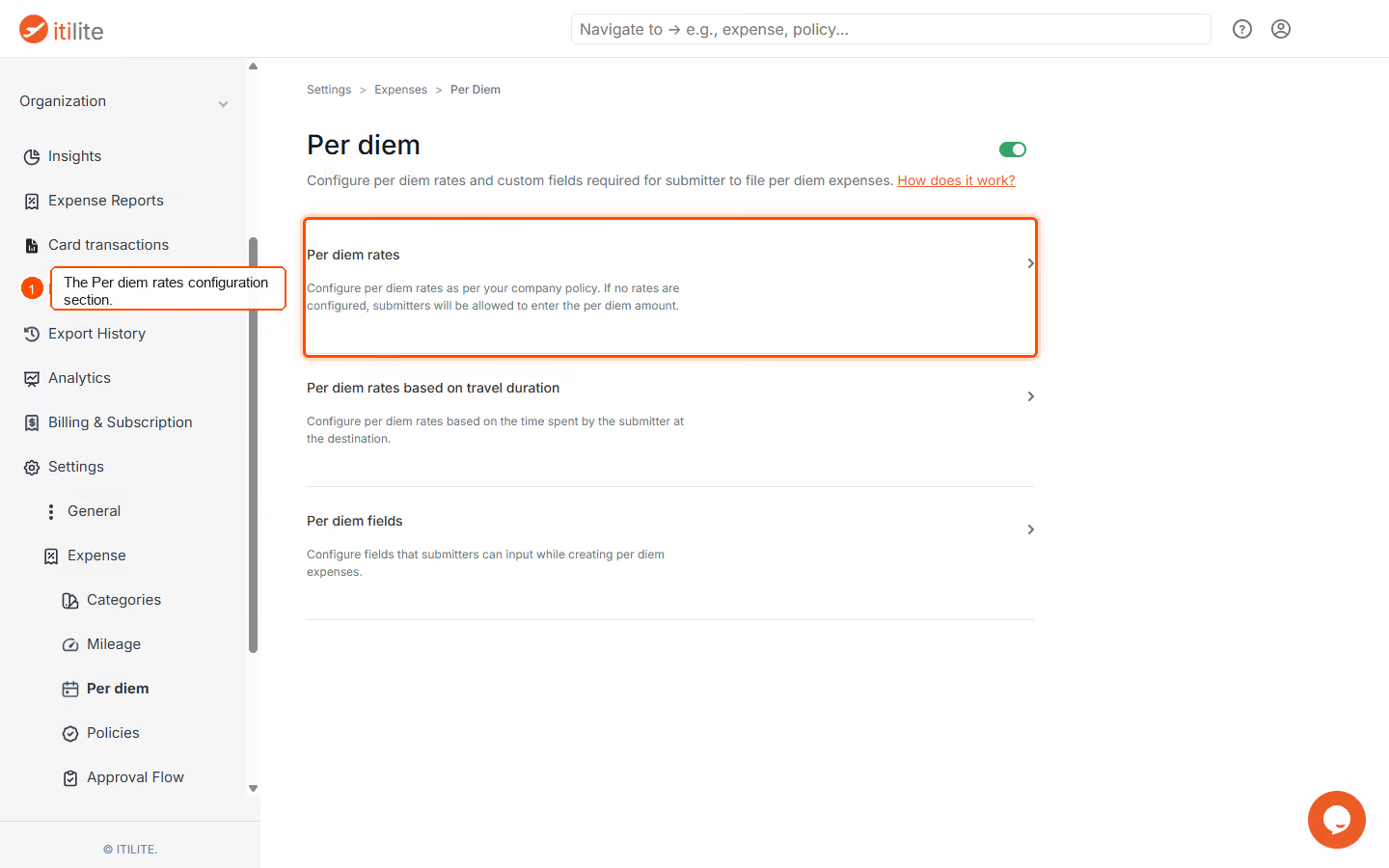
- If Per Diem is currently disabled for your organization, click the Enable Per Diem toggle in the top right corner to activate the feature. Once enabled, navigate to the Per diem rates section.
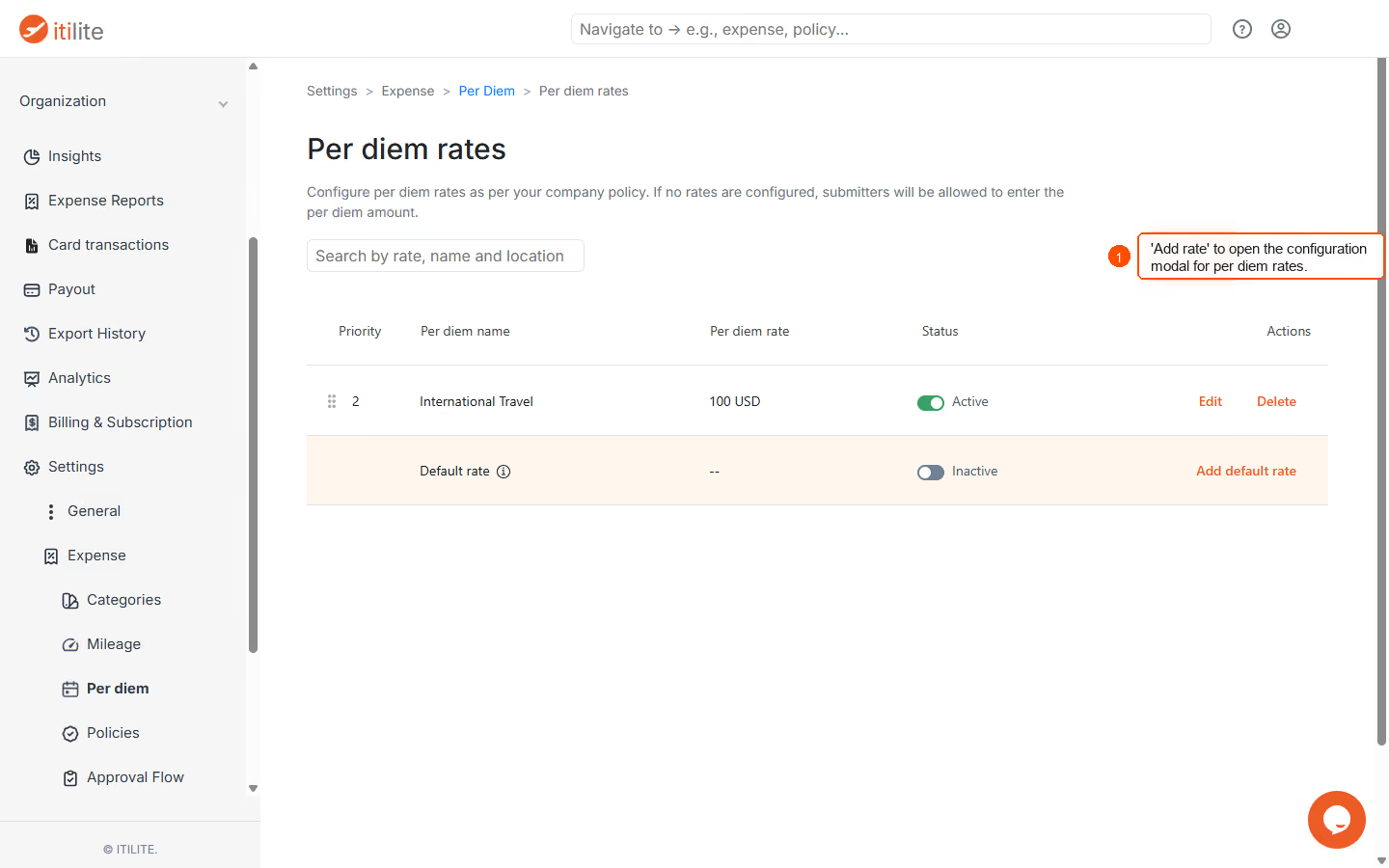
- Click Add Rate to open the configuration form for a new per diem rate.
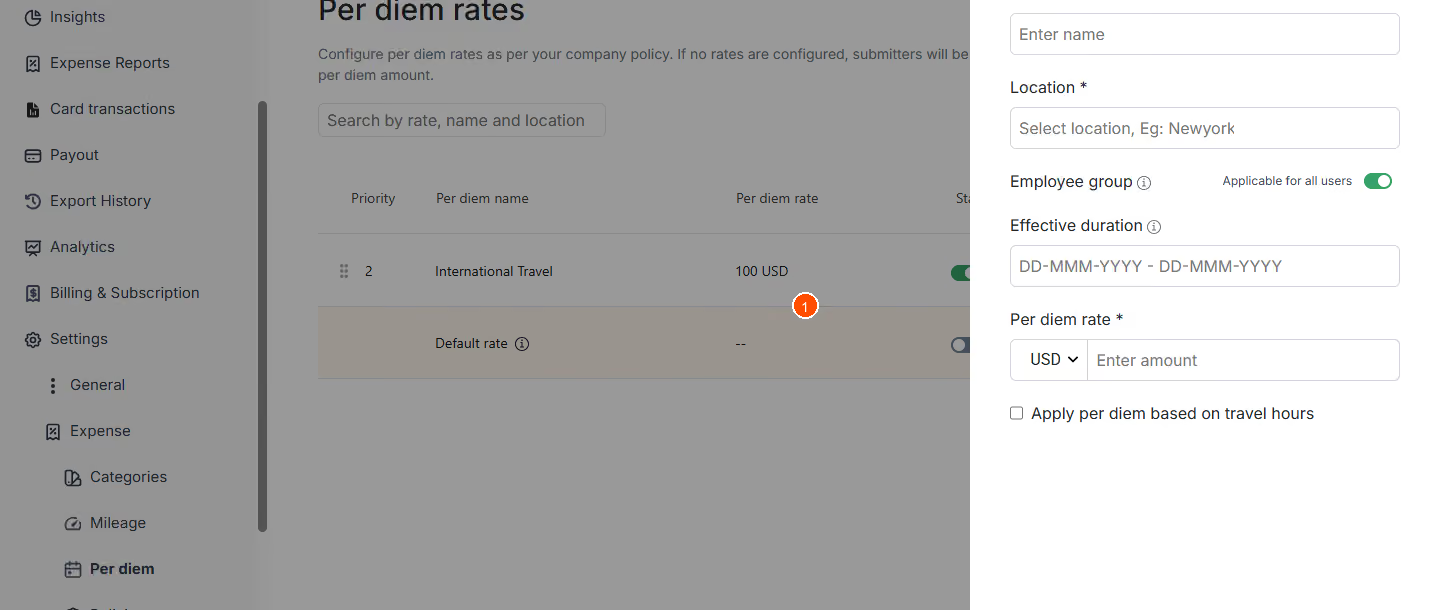
- Enter the required information in the configuration form, then click Save to create the new per diem rate.
Pro-Tips & Guardrails
NOTE: GSA rates are fully integrated into ITILITE's per diem configuration. When new GSA rate files are imported, the system automatically marks previous GSA-derived rates as deleted and enables the new ones, ensuring calculations always use the most current rates.
PRO-TIP: To streamline the user experience, encourage employees to link their travel IDs when filing per diem expenses. This allows ITILITE to automatically pre-fill the start date, end date, destination, and the applicable GSA-based rate from their completed trips. Additionally, with Per Diem V2, users can adjust their per diem claims by discarding specific meals (e.g., breakfast, lunch, dinner, incidentals) if those meals were provided separately.
Verification & FAQs
After saving, verify that your newly configured per diem rate appears in the list on the Per Diem Rates page.
Q: Can I import GSA rates directly into ITILITE?
A: Yes, Expense administrators can import GSA rate files directly into ITILITE. These rates are then automatically added and applied by default.
Q: How do GSA rates handle different employee groups?
A: By default, imported GSA rates apply to all employee groups. However, administrators can configure constraints to apply rates to specific groups based on attributes like Level, Business Unit, Department, or Entity.
Q: Can users adjust their per diem for meals provided separately?
A: Yes, with Per Diem V2, the system supports meal-level breakdown for GSA rates. Users can discard specific meals (e.g., breakfast, lunch, dinner, incidentals) from their per diem claim if those meals were provided to them.
Q: What happens when new GSA rates are released or updated?
A: When new GSA rates are imported, ITILITE automatically versions them. Old GSA-derived rates are marked as deleted, and the new rates are enabled, ensuring that all per diem calculations use the most current data.
Q: Can per diem rates be configured based on the duration of travel?
A: Yes, you can enable the "Apply per diem based on travel hours" option to configure different percentages of the daily per diem rate according to the number of hours an employee spends at the destination.
Ready to take your Travel Management to next level
A fully integrated corporate travel management software that dramatically reduces spends while improving user experience