
ACH Payment Process for Expenses
Trusted by 500+ companies








Instant Employee Reimbursements with Built-In ACH Now
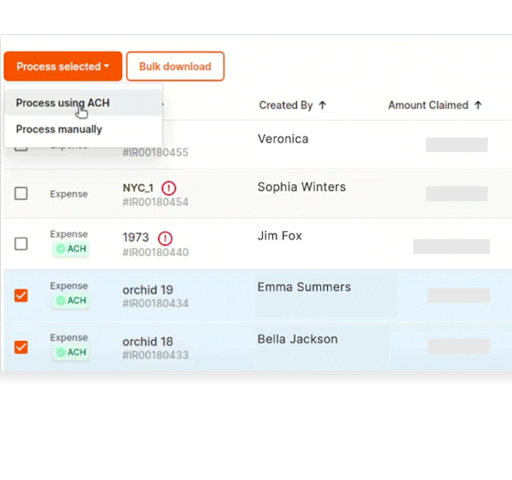
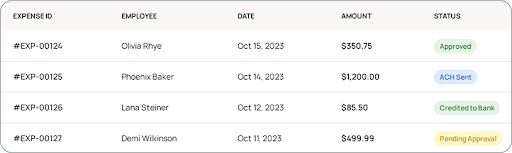
Itilite’s ACH capability completes reimbursements inside the expense app: submit, approve, and push payments to employee bank accounts, cutting manual steps and wait times. This ACH payment process enables one-click payout for approved reports
- Batch multiple reimbursements simultaneously
- Clear status per payment (pending, processed, paid)
Expense Policy Checks Run Before Any ACH Payout
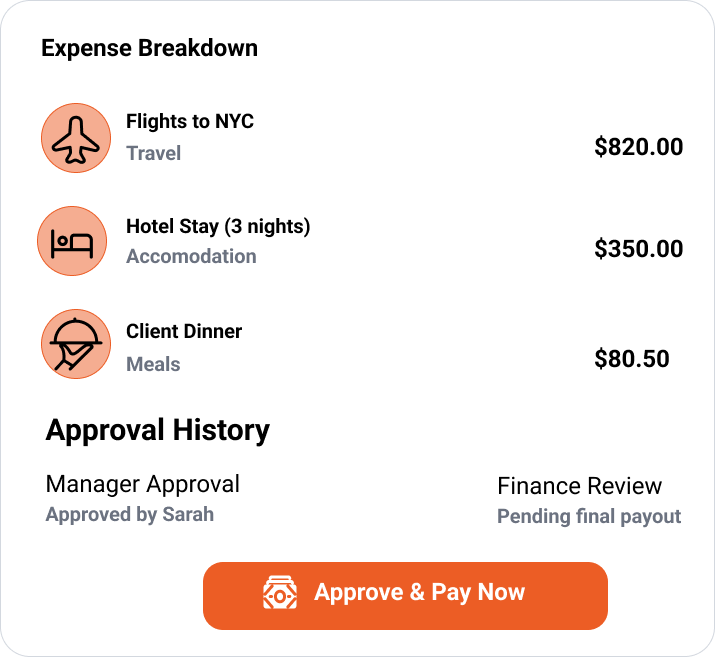
Every ACH payout runs only after Itilite validates policy rules, receipt accuracy, and approval gates so payments are controlled, auditable, and safe from accidental overspend. This ensures every ACH payment for expenses is compliant.
- Automated policy enforcement before payout
- Flagged exceptions stop payments automatically
- Segregation of duties for approvals
Reconcile Automatically, No Manual Data Entry Required
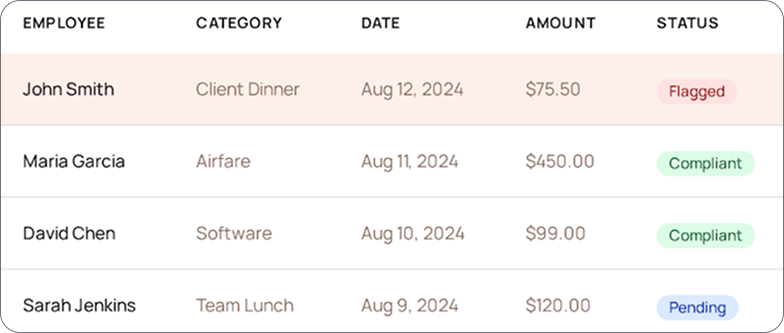
Itilite matches bank confirmations to claims and pushes payment status to your accounting system. Reconciliation becomes a review task, not a full-time job for AP. Using this ACH payment process, your finance team saves hours
- Transaction IDs linked to reports
- Auto-sync to ERP and GL mappings
- Exportable audit-ready reports
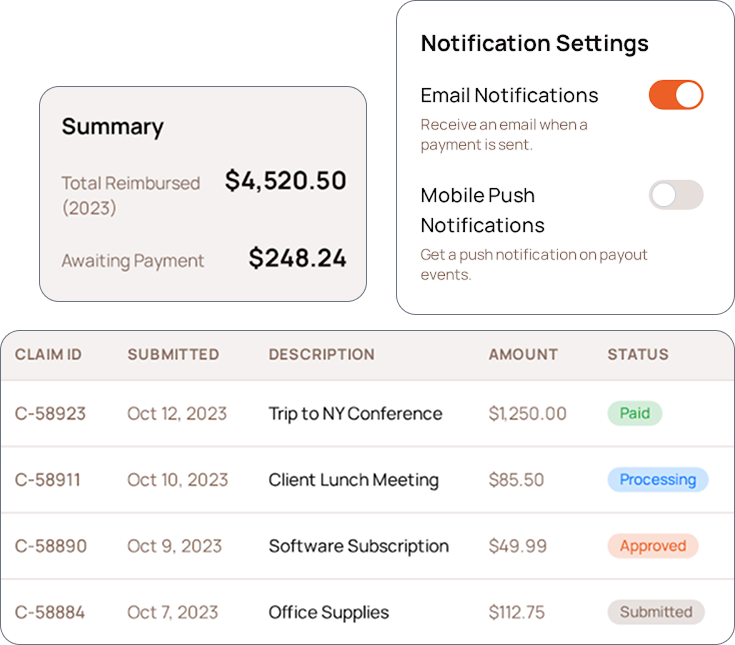
Employees See Payment Status in Real Time
Employees track reimbursement progress from “approved” to “paid”; Itilite notifies users when the ACH transfer is initiated and when funds reach their account, making the ACH payment for expenses completely transparent.
- In-app status for each claim
- Email and mobile notifications on payout events
- First-time verification prompts shown clearly
Secure, Compliant ACH Transfers Managed Inside Itilite
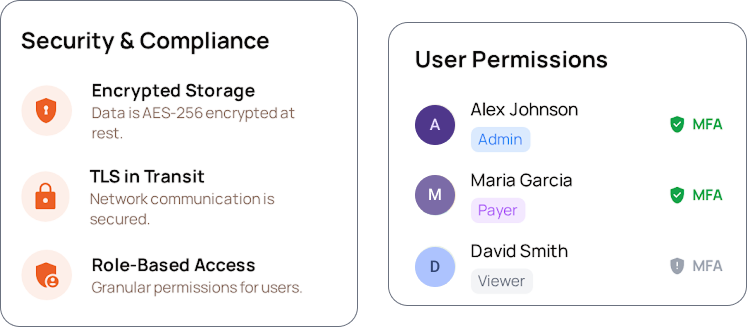
Itilite stores bank info securely, enforces verification, and logs every transfer for audit. ACH payments run inside the platform under strict access control.
- Encrypted storage and TLS in transit
- Role-based payment permissions and MFA
- Full return-code handling and remediation flows
Deep Dive: The ACH Payment Process Explained for Teams
If you’re new to ACH, this plain-language guide shows how the ACH payment process works for reimbursements, what to expect at each step, and how Itilite runs the whole flow for you.
The ACH payment process is the standard U.S. method for moving money electronically between bank accounts. It replaces paper checks and manual AP work with digital transfers that are tracked and reversible when needed.
1. The fundamentals of ACH
ACH (Automated Clearing House) is the standard network used to move funds electronically between bank accounts. It eliminates the need for paper checks or manual transfers while providing a secure and traceable flow of funds. There are two main types of ACH transactions: credits, which push money to a recipient’s account, and debits, which pull funds when authorized. For corporate reimbursements, ACH credits are typically used to deposit funds directly into employee bank accounts. This ACH payment process ensures money moves securely and predictably.
2. Step-by-step: what happens from click to deposit
- You approve the claim. The employee submits receipts in Itilite and the approver signs off.
- Itilite prepares the payment. The platform batches approved items into a payments queue and validates account info.
- Verification is checked. New bank accounts are verified via micro-deposits or instant verification (when available).
- ODFI sends the instruction. The originator’s bank (ODFI) receives the file and forwards it through the ACH operator.
- RDFI posts the credit. The recipient bank (RDFI) posts the funds to the employee’s account and the status updates in Itilite.
- If something goes wrong, a return happens. The bank sends a return code (R01, R03, etc.) and Itilite records the code and suggests next steps.
3.Timeline, realistic expectations
- Standard ACH: Usually 1-2 business days after submission; timing can hit bank cutoffs and weekends.
- Same-Day ACH: Available in many cases but depends on your bank and cutoffs; Itilite shows whether same-day routing is possible for a run.
4. Why businesses pick ACH for reimbursements
- Lower cost than checks or expedited wires, cents per transaction vs dollars.
- Predictable timing so employees know when they’ll be paid.
- Traceable records that simplify audits and reconciliations.
- Batching reduces AP work: dozens or hundreds of small reimbursements can be sent in a single operation.
5. Common fears and the real answers
- “What if a payment bounces?” - Banks return entries with codes. Itilite captures the reason code, marks the expense as unpaid, and gives the finance team the corrective flow so the fix is quick.
- “Is my bank data safe?” - Bank details are encrypted; only authorized finance roles can push payments. Itilite uses multi-factor authentication and audit logs.
- “Will my ERP break?” - No, Itilite syncs payment status and transaction IDs to your ERP, so ledgers stay accurate without retyping.
6. How Itilite runs the ACH payment process inside the platform
Using Itilite, the ACH payment process is built into every step of expense management: receipt capture, policy checks, approvals, verification, payment initiation, and reconciliation. You do not leave the expense tool to make payouts or run external banking files, that work happens inside the platform with full visibility.
7. Small teams vs large programs, what changes?
- Small teams get rid of check runs and manual accounting updates. One finance admin can pay dozens of employees in minutes.
- Large companies gain control over approvals, filters, and GL mapping, plus audit trails for compliance teams.
8. Quick checklist to be ready for ACH payouts in Itilite
- Verify business bank accounts and upload required docs.
- Ask employees to verify their bank details (micro-deposits or instant).
- Configure approval workflow and GL mappings.
- Run a pilot batch with a small group to confirm reconciliation paths.
- Move to regular payout cadence.
By the time you finish this guide, the ACH payment process should feel straightforward, it’s a repeatable set of checks and transfers, and Itilite integrates all those checks so your finance team no longer juggles files, emails, and spreadsheets.
Frequently Asked Questions
How do I enable ACH payments inside Itilite?
Admins register the company bank account in Itilite and complete verification. Employees then add and verify their accounts. Once verification passes, approved reports can be paid via the Payments Queue using the ACH payment process.
What verification methods does Itilite use for employee bank accounts?
Itilite supports instant account verification where available and micro-deposits when instant verification isn’t possible. The platform shows verification status clearly on employee profiles.
How does Itilite handle ACH return codes and failed transfers?
When a return occurs, Itilite logs the bank’s return code, notifies finance, marks the report unpaid, and suggests corrective actions (e.g., request updated bank details or retry).
Can I run a bulk ACH payout for all approved reports?
Yes. Use the Payments Queue to select multiple approved reports and execute a single batch payout. Itilite creates transaction IDs and assigns them to individual reports for reconciliation.
How long before employees see the money?
Most domestic ACH credits post in 1–2 business days. First-time verifications add 1–2 days for micro-deposits. Itilite’s dashboard shows expected arrival windows per run.
How does reconciliation work after ACH payouts?
Itilite matches bank confirmations to expense reports and syncs payment status and transaction IDs to your ERP. Any unmatched items are flagged for review in the dashboard.
Is my employee bank data protected?
Yes. Itilite encrypts bank details at rest, uses TLS in transit, enforces role-based access and multi-factor authentication for payment actions, and maintains full audit logs.
What reporting is available for ACH activity?
Exportable, filterable reports by date, employee, department, or cost center include payment IDs, status, and reconciliation tags, helpful for audits and month-end close.
How quickly can we go live?
Typical timelines range from a few days (for small pilots with instant verification) to a couple of weeks (if micro-deposit verification and broader onboarding are required). Itilite provides a rollout checklist and pilot workflow for ACH payment for expenses.