
Optical Character Recognition (OCR) Software Tool
Trusted by 500+ companies






Capture, Extract, & Automate with OCR
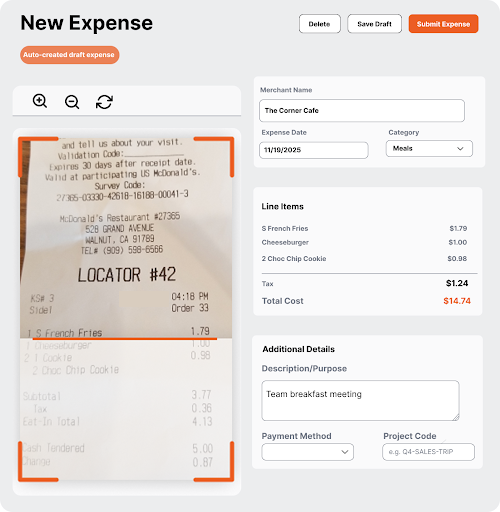
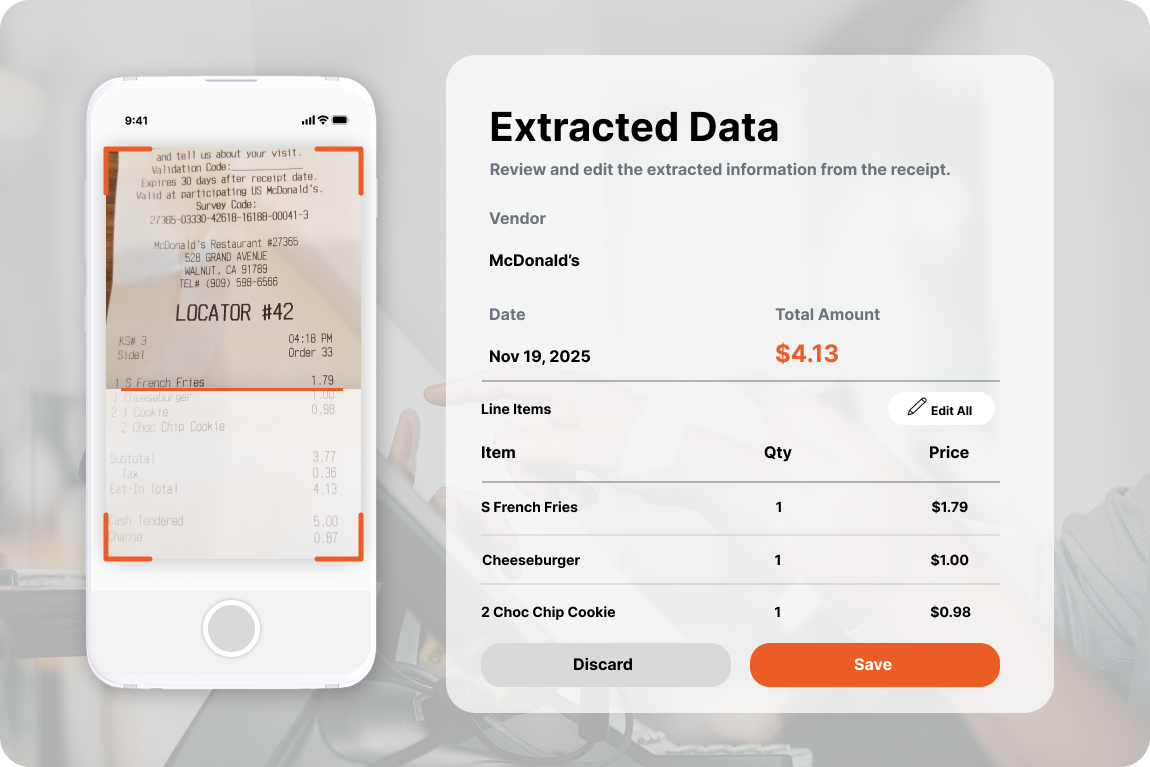
From snapping a receipt to creating a draft expense, ITILITE’s Accurate Expense Receipt Scanner powered by Optical Character Recognition streamlines your workflow effortlessly.
- Take a photo with the mobile app or upload PDFs/images.
- AI-powered Optical Character Recognition extracts date, vendor, total, and category automatically.
- Automated expense creation reduces errors and saves time.
- Multi-currency support and global language recognition for international teams.
- Integration with ERP/accounting software for seamless reporting.
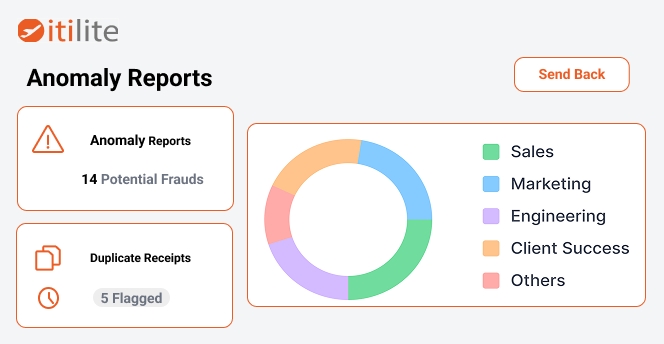
High Accuracy OCR with AI-Powered Checks
Ensure every scanned receipt is correct, compliant, and verified for potential fraud.
- Optical Character Recognition achieves 97% accuracy, even on crumpled, faded, or handwritten receipts.
- AI flags duplicates, altered receipts, or off-policy expenses instantly.
- Machine Learning improves accuracy over time by learning from scanned data.
- Cross-references receipt data with travel bookings and corporate card transactions.
Work Anywhere, Connect Everywhere
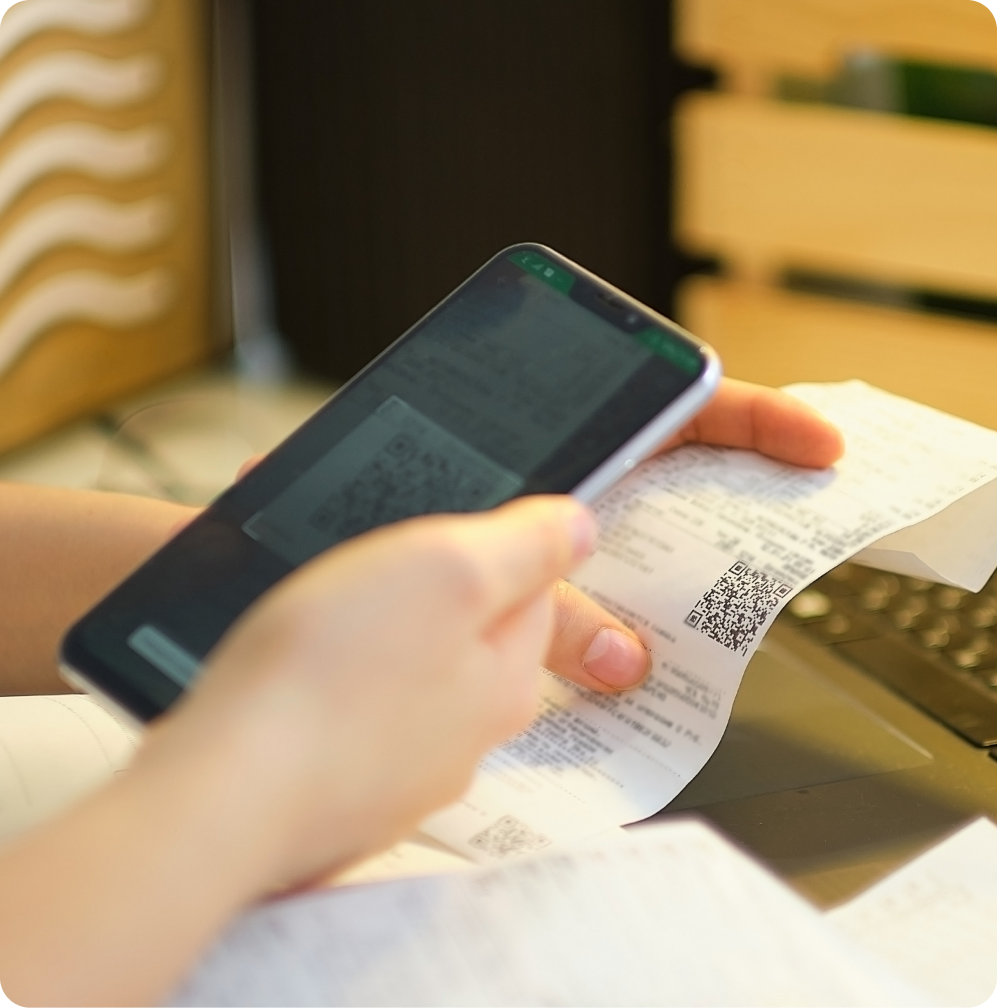
Capture expenses on the go and sync with your finance systems automatically.
- Fully mobile-enabled: capture receipts anywhere, anytime.
- Automatic linking with corporate cards to reduce reconciliation effort.
- Real-time integration with QuickBooks, SAP, Oracle, Zoho Books, and more.
- Audit-ready reports and real-time dashboards for finance teams.
Accurate Expense Receipt Scanner ensures no details are missed, even on the move.
What is Optical Character Recognition (OCR) and Why It Matters
Learn the basics of OCR, how it works, and why businesses use it to digitize receipts and documents.
1. Introduction
Optical Character Recognition (OCR) converts printed or handwritten text in images into machine-readable, editable data. By turning static documents into searchable content, OCR enables businesses to automate data capture, streamline workflows, and integrate information into other systems.
2. How OCR Works
- Image Capture: The receipt or document is scanned or photographed.
- Preprocessing: OCR software cleans the image, adjusts alignment, removes noise, and enhances contrast.
- Text Recognition: Algorithms read characters using pattern matching or feature extraction. Advanced OCR can even recognize handwriting.
- Post-Processing: Recognized text is verified, categorized, and output as editable data.
3. Types of OCR
- Standard OCR: Best for printed text and consistent fonts.
- Intelligent Character Recognition (ICR): Reads handwriting and cursive text.
- Optical Mark Recognition (OMR): Detects checkboxes or bubbles.
4. Applications for Businesses
- Expense Management: Automatically read receipts using ITILITE’s Accurate Expense Receipt Scanner and generate digital expense entries.
- Document Archiving: Convert contracts, invoices, and legal documents into searchable files.
- Accessibility: Make printed content readable for screen readers.
- Banking & Logistics: Process forms, checks, and shipping labels automatically.
5. Benefits of Using OCR
- Reduces manual data entry and human errors.
- Speeds up reporting and reimbursement processes.
- Ensures compliance by flagging off-policy items during extraction.
- Improves analytics by integrating structured data into dashboards.
6. Why ITILITE OCR Stands Out
ITILITE combines Optical Character Recognition with AI and machine learning to extract data, check policy compliance, and detect fraud. This makes ITILITE the ultimate Accurate Expense Receipt Scanner for businesses of all sizes.
7. Conclusion
Whether you’re a small business automating receipt entry or a global enterprise managing thousands of expenses, Optical Character Recognition is essential. ITILITE makes this technology accurate, fast, and fully integrated with your finance workflow.
Frequently Asked Questions
What is ITILITE’s OCR?
ITILITE’s OCR is a feature that converts scanned or photographed receipts into digital expense entries automatically using Optical Character Recognition.
How accurate is ITILITE OCR?
The platform achieves approximately 97% accuracy, minimizing errors from handwritten, printed, or crumpled receipts.
Which fields does OCR capture automatically?
Vendor name, date, total amount, currency, and suggested expense category.
Can I edit OCR entries if the data is wrong?
Yes, all extracted fields can be reviewed and corrected manually before submission.
Does ITILITE OCR support multiple languages?
Yes, it supports Latin-based and major global languages including Arabic, Chinese, Japanese, Korean, and Russian.
How does ITILITE detect duplicate or fraudulent receipts?
AI and ML algorithms flag duplicates, anomalies, policy violations, or altered receipts in real-time.
Can OCR receipts integrate with accounting software?
Yes, ITILITE integrates with QuickBooks, SAP, Oracle, Zoho Books, and other ERP systems seamlessly.
Is OCR mobile-friendly?
Yes, employees can capture receipts using ITILITE’s mobile app anytime, anywhere.
Does ITILITE support multi-currency receipts?
Yes, expenses in different currencies are automatically converted to the employee’s home currency.
How does OCR improve expense management?
By automating data entry, ensuring accuracy, flagging policy violations, and syncing with finance software, OCR saves time and reduces errors. Using ITILITE as an Accurate Expense Receipt Scanner ensures compliance and audit-ready reporting.